

Add your own close button to the presentation UI and call the Mobile Locker SDK to dismiss the presentation.
May 2026
Use our new SDK: https://github.com/mobilelocker/mobilelocker-javascript-sdk
Let users dismiss your presentation from your own interface by adding a close button and calling the Mobile Locker SDK.
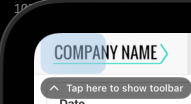
Adding your own close button is optional in iOS app version 5.0 and later. Those versions include a hotspot in the top-left corner of the screen. When the user taps it, the iOS toolbar appears and shows the native close button. The hotspot disappears after five seconds.
Add a close button

-
Add a button to your presentation UI.
-
Call the Mobile Locker SDK method when the user taps or clicks the button.
async function handleCloseButtonClick() {
  try {
    await mobilelocker.closePresentation();
  } catch (error) {
    console.error('Failed to close the presentation.', error);
  }
}
Example
<button type="button" onclick="handleCloseButtonClick()">Close</button>

<script>
  async function handleCloseButtonClick() {
    try {
      await mobilelocker.closePresentation();
    } catch (error) {
      console.error('Failed to close the presentation.', error);
    }
  }
</script>
When the user activates the button, Mobile Locker closes the presentation.
See Close a Presentation for the SDK method reference.